Scheduling and assets
A DAG's schedule, time zone, dates and catchup are edited in DAG settings → Schedule: click empty canvas so that nothing is selected, and the inspector shows the DAG settings. Assets that tasks produce and consume are edited in each task's Data tab.
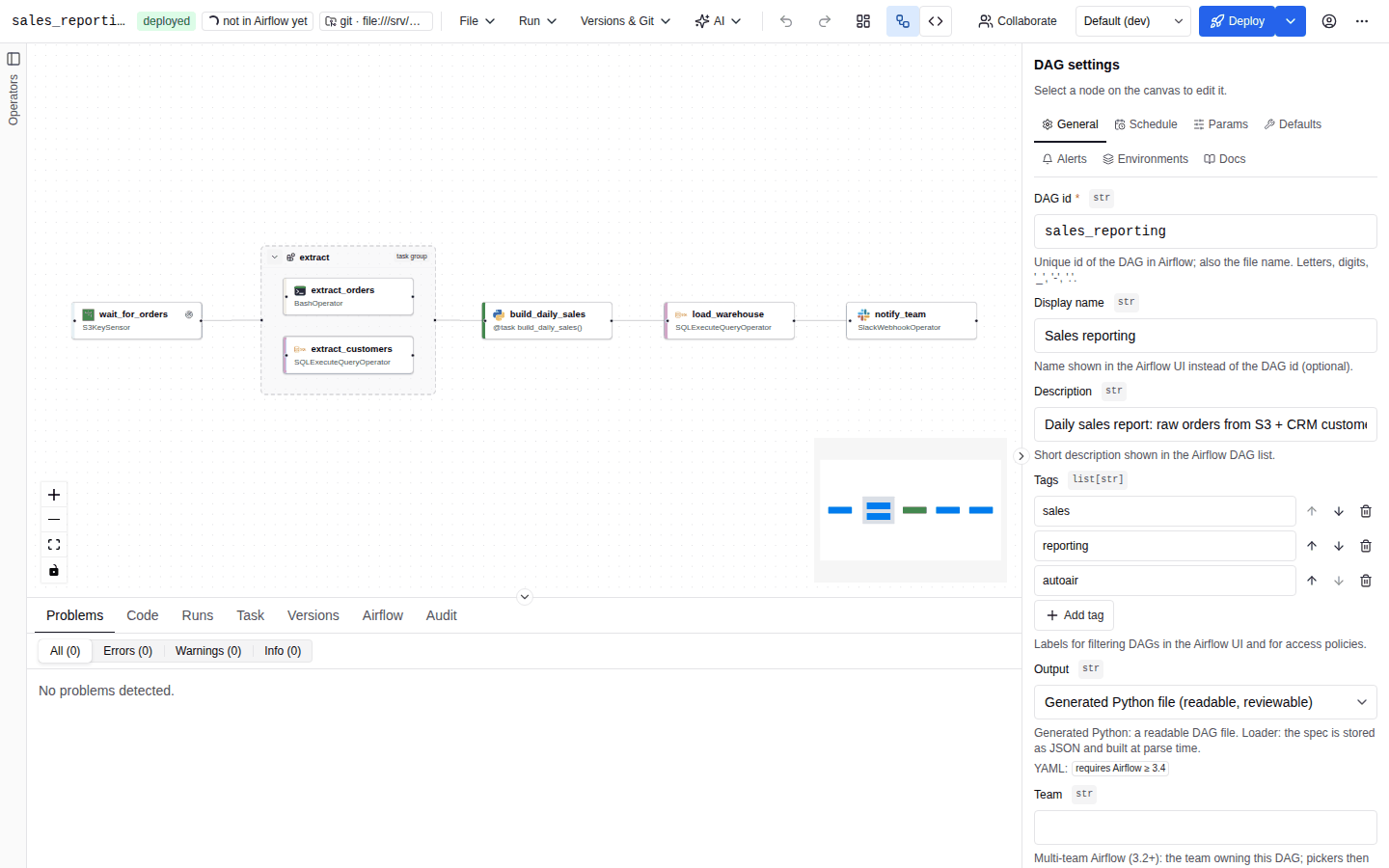
The Schedule tab
From top to bottom the tab holds DAG timezone, the schedule editor, Start date, End date and Catchup.
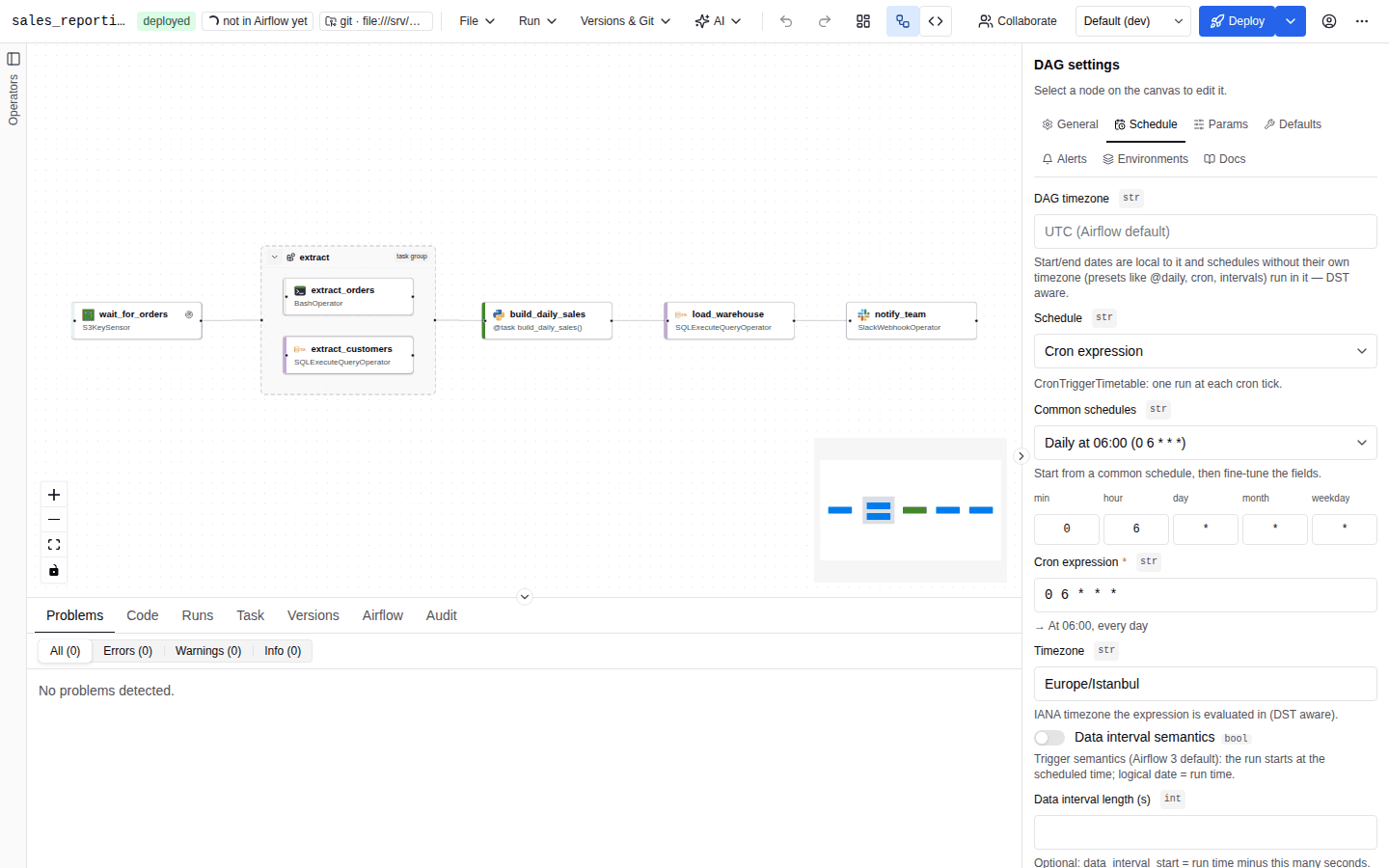
Schedule types
Choose the type in Schedule. Types that need a newer Airflow than the target version are labelled (requires Airflow ≥ X.Y) and cannot be selected.
| Type | Label | Generated as | Airflow |
|---|---|---|---|
none | Manual only (no schedule) | schedule=None. The DAG only runs when triggered manually or through the API. | |
preset | Preset (@daily, …) | @once, @continuous, @hourly, @daily, @weekly, @monthly, @quarterly, @yearly | |
cron | Cron expression | The expression, or CronTriggerTimetable(...) / CronDataIntervalTimetable(...) | |
interval | Fixed interval | timedelta(...), or DeltaDataIntervalTimetable(...) | |
multi_cron | Multiple cron expressions | MultipleCronTriggerTimetable(...) | |
events | Specific dates (events) | EventsTimetable(...) | |
assets | When assets are updated | The asset condition, or AssetTriggeredTimetable(...) with batching | |
assets_or_time | Assets OR time schedule | AssetOrTimeSchedule(...) | |
assets_and_time | Assets AND time schedule | AssetAndTimeSchedule(...) | 3.4 |
partitioned_cron | Partitioned cron | CronPartitionTimetable(...) | 3.2 |
partitioned_assets | Partitioned assets | PartitionedAssetTimetable(...) | 3.2 |
The editor keeps compatible values when you switch type, for example the cron expression when moving from cron to multiple cron.
Presets
| Preset | Meaning |
|---|---|
@once | exactly once |
@continuous | continuously, one run after another |
@hourly | every hour |
@daily | every day at midnight |
@weekly | every Sunday at midnight |
@monthly | first day of the month |
@quarterly | first day of each quarter |
@yearly | January 1st |
With a DAG time zone set, presets other than @once and @continuous are generated as CronTriggerTimetable("@daily", timezone="<DAG time zone>"), so they run at midnight in that zone.
Cron expressions
The cron editor offers three ways to enter an expression:
- Common schedules: Every minute, Every 5 minutes, Every 15 minutes, Every hour, Every 6 hours, Daily at midnight, Daily at 06:00, Weekdays at 09:00, Mondays at 06:00, 1st of the month at 06:00, Quarterly at 06:00, Yearly on January 1st. Pick one, then fine-tune it.
- Cron fields: one input per field (minute, hour, day of month, month, day of week).
- Cron expression: the whole expression as text.
The expression is validated as you type (5 fields, values in range, valid steps and ranges, month and day names, aliases such as @daily), and a plain-language description of the schedule is shown under it.
| Field | Purpose |
|---|---|
| Timezone | IANA zone the expression is evaluated in (DST aware). Empty: the DAG time zone, else UTC. |
| Data interval semantics | Off (default): Airflow 3 trigger semantics, the run starts at the scheduled time and the logical date is the run time (CronTriggerTimetable). On: Airflow 2 semantics, the run for an interval starts at its end and the logical date is the interval start (CronDataIntervalTimetable). |
| Data interval length (s) | Trigger semantics only: data_interval_start is the run time minus this many seconds (interval=). |
| Run immediately | When the DAG is unpaused, run the latest missed tick right away instead of waiting for the next one (run_immediately=True). |
A cron schedule with no time zone (neither its own nor the DAG's) and no options is generated as the expression string; anything else as a CronTriggerTimetable(...).
Fixed interval
Enter Hours, Minutes and Seconds; the editor shows the total. Off (default), the DAG uses trigger semantics (schedule=timedelta(seconds=…), a DeltaTriggerTimetable); with Data interval semantics on, DeltaDataIntervalTimetable.
Multiple cron expressions and events
- Multiple cron expressions: add expressions with Add expression; a run happens at every tick of any of them. One time zone applies to all.
- Specific dates (events): add dates with Add date. Restrict to events makes manual runs use the last event as their data interval. Description is shown in the Airflow UI instead of the list of dates.
Asset conditions
When assets are updated, Assets OR time schedule, Assets AND time schedule and Partitioned assets take an asset condition, built in the Asset condition editor:
- Asset: a name and/or URI (see Asset fields).
- Alias: an
AssetAlias, resolved at runtime to the assets a task attached to it. - ALL of (&) and ANY of (|) groups, which can be nested. Wrap in group and Remove group (keep item) restructure the tree.
schedule=AssetAny(
    AssetAll(Asset(name="orders"), Asset(name="customers")),
    AssetAlias("daily-exports"),
)
Further options:
| Type | Options |
|---|---|
| When assets are updated | Batch asset events (Airflow 3.4 or later): combine queued events into one run instead of one run per event. Generated as AssetTriggeredTimetable(assets=…, batch_asset_events=…). |
| Assets OR time schedule | A Time schedule (preset, cron, interval, multiple cron or events): the DAG runs on the time schedule and also whenever the condition is met. @once and @continuous cannot be combined with assets. |
| Assets AND time schedule | A Time schedule: a scheduled run is created only when the assets were updated since the previous run. |
Asset-driven runs have no time-based logical date. Templates that use the logical-date variables render as None in such runs, and the editor warns about it; Jinja templates lists the variables.
Partitioned schedules
| Type | Fields |
|---|---|
| Partitioned cron | Cron expression, time zone (default UTC) and Partition key format (an strftime format; empty: the backend default). |
| Partitioned assets | Asset condition, Partition mapper (Identity, Start of hour, day, week, month, quarter or year), and a time zone for non-identity mappers. |
Next runs
Below the editor, Next runs lists the next five run times computed on the server for the current schedule, start date and time zone, with a short summary. The first column (Your local time) is shown in the DAG time zone when one is set, otherwise in your browser's; the second is UTC. Manual and asset-driven schedules show an explanation instead of times. The preview refreshes shortly after each change.
The preview is computed by the AutoAir server with Airflow's own timetable classes (POST /api/airflow/next-runs), so it needs Airflow installed next to AutoAir, features.airflow and the airflow:read permission. Only the schedule, start and end dates, time zone and catchup are evaluated; a schedule that contains Python code is not previewed (the schedule preview does not evaluate Python code). In autoair local, features.airflow is off and the box shows the airflow feature is disabled (AUTOAIR_FEATURES__AIRFLOW) instead of times; the schedule itself is unaffected.
Time zone
DAG timezone (timezone) is an IANA name such as Europe/Istanbul. Unknown names are rejected: Unknown timezone: pick an IANA name such as Europe/Istanbul.
- Start and end dates are wall-clock times in the DAG time zone and are generated as
pendulum.datetime(..., tz="<zone>"). - Schedules without their own time zone (presets, cron, multiple cron) run in the DAG time zone, DST aware.
- Empty: Airflow's
default_timezone, UTC unless configured.
A cron or multiple-cron schedule can set its own Timezone, which wins over the DAG time zone.
The time zone used to display times in the AutoAir UI is a separate, per-deployment setting (ui.default_timezone, default: the browser's).
Start date, end date and catchup
| Field | Meaning |
|---|---|
| Start date | First logical date the scheduler considers. Runs before it are never created. |
| End date | No runs are scheduled after this date (optional). Validation requires it to be after the start date (The end date must be after the start date.). |
| Catchup | Create runs for every missed interval between the start date and now. Off by default, as in Airflow 3. |
Per-environment schedules (for example a slower schedule in dev) are set in environment overlays. See Environments.
Assets produced and consumed by tasks
A task's Data tab declares the assets it touches:
- Produces assets (outlets): assets updated when the task succeeds. Asset-scheduled DAGs react to them. Tasks with outlets show a
→ assetbadge. - Consumes assets (inlets): lineage information; inlet events are available to the task as
inlet_events.
t_load = SQLExecuteQueryOperator(
    task_id="load",
    conn_id="warehouse",
    sql="…",
    outlets=[Asset(name="orders", uri="s3://lake/orders/")],
)
Asset fields
| Field | Purpose |
|---|---|
| Asset name | The asset's name. Suggestions come from the assets Airflow already knows. |
| URI | Identifies the data, for example s3://bucket/key. Producers and consumers must use the same URI. |
| Group & extra | Group in the Airflow UI (default asset) and Extra (JSON), free-form metadata. |
| Watchers (event-driven) | AssetWatchers that listen to a message queue with a MessageQueueTrigger and emit asset events. Each watcher has a Watcher name, a Queue scheme (for example sqs, kafka, redis+pubsub, google+pubsub, azure+servicebus, kinesis) and Trigger kwargs (JSON). Schemes whose provider package is not installed are marked install <provider>. |
An asset needs at least a name or a URI: Set a name or a URI.
Asset events
You can exercise an asset-driven pipeline from the builder without running the producing DAG. The actions appear in an asset's editor, below the Group & extra section, only when that asset is already registered in Airflow: AutoAir looks the asset up in the list returned by GET /api/airflow/assets, by Asset name, or by URI when the name is empty. An asset that exists only in your unsaved DAG has no Airflow id yet and shows no actions; deploy the producer once so Airflow registers it.
| Action | What it does | API |
|---|---|---|
| Send test event | Opens a small form with Event extra (JSON) (a JSON object, default {}), then Send creates an asset event in Airflow (POST /api/v2/assets/events). DAGs scheduled on the asset, or on a condition it completes, may start. Downstream tasks read the extra through triggering_asset_events. | POST /api/airflow/assets/{asset_id}/events |
| Materialize | Triggers the DAG that produces the asset. | POST /api/airflow/assets/{asset_id}/materialize |
Behaviour and requirements:
- Both actions need
features.runs(the buttons are not rendered when it is off) and therun:triggerpermission. Without the permission the buttons are disabled with the tooltipYou don't have permission for this (run:trigger). Ask an AutoAir admin.Airflow applies its own permissions to the call as well. - Materialize is shown only when the connected Airflow supports it (Airflow 3.0 or later, read from
GET /api/airflow/capabilities). When the Airflow version cannot be determined, the button is hidden. - Send is disabled while the event extra is not a JSON object (
must be a JSON object). - On success a toast reads
Test event sent for <asset>orMaterializing <asset>(with the new run id when Airflow returns one). On failure the toast readsSending the asset event failedorMaterialize failed, with Airflow's error message.
Follow the resulting runs in the Airflow tab; see Runs.